
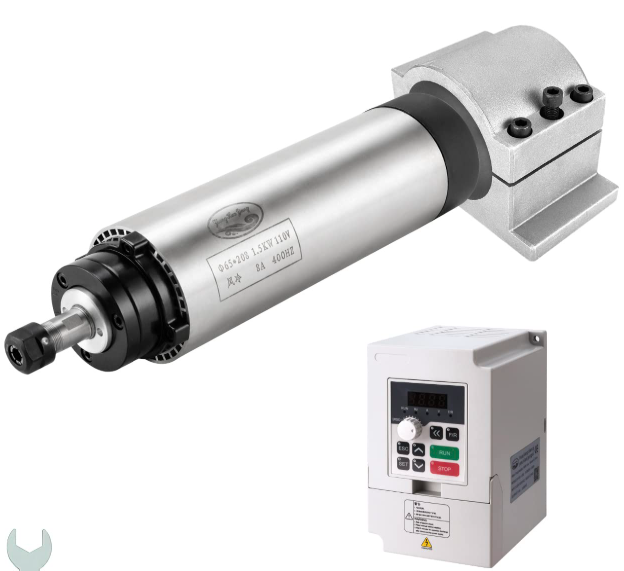
VFD Spindle Upgrade
Finally upgraded the trim router spindle on my Genmitsu 4040 Pro Max with a 1.5KW air cooled VFD Spindle. Very straight forward. I ask around a lot of forums for recommendations. The best value I found was from several expert users/machinist that used it themselves. This is the kit from Amazon. It’s a H100 clone and is fully supported in FluidNC using RS485.
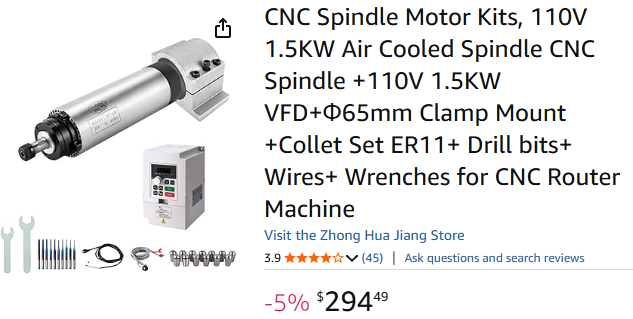
While still pricy by my standards, it’s less than a third of the price of a name brand or a Genmitsu. I didn’t need water cooled and 1.5KW is 65mm in diameter so it’s a direct fit. The 2.2KW is 80mm and much heavier and maybe too much for my machine. Definitely too heavy without a Z motor and maybe leadscrew upgrade.
I used it standalone by manually turning it on and adjusting the speed via the VFD front panel and speed adjust knob. Not really different from the trim router. Note that the display will show current frequency vs RPM. You can do your own research for how a VFD and spindle motor work but the basics is that the spindle motor is a 3-phase AC motor and the VFD controls the frequency of the phases while running at full voltage. 400hz is the max this motor should be run at and it equates to 24,000 RPM. So 200 on the display is half of full speed at 12,000 RPM.
My intention was to eventually connect it to my FluidNC based controller once it was completed using RS485. The controller is now in the testing phase and setting up the VFD with FluidNC via RS485 was very straight forward IMO. The main settings for the VFD is to instruct it to be controlled by RS485 instead of the front panel. Then there’s a few other settings to set or verify and that’s it. I used the suggested FluidNC config.yaml settings from the FluidNC WiKi for the H100 type VFD’s.
The PDF manual and an Excel Workbook for it can be found at our GitHub. Below are the settings to change/verify on the VFD front panel to work with FluidNC. Note that I changed the baud rate on the VFD to match FluidNC vs changing FluidNC to match the VFD.
H100 VFD Settings for FluidNC RS485 Control set from control panel.
F001 = 2 (Control from RS485 communication port)
F002 = 2 (Frequency from RS485 communication port)
F023 = 0 (Reverse prohibited)
F024 = 0 (Disable physical STOP key)
F163 = 1 (Modbus address, matches FluidNC modbus_id: 1)
F164 = 1 (9600 baud rate, matches FluidNC)
F165 = 3 (8N1, Matches FluidNC)
This is my FluidNC config.yaml section for the VFD. Do not just blindly copy this config. Make sure it will work with your hardware controller. This config is for use with the PiBot 4.9B.
# --- UART Setup for VFD ---
uart1:
  txd_pin: gpio.15
  rxd_pin: gpio.16
  rts_pin: gpio.14
  baud: 9600
  mode: 8N1

H100:
  uart_num: 1
  modbus_id: 1
  tool_num: 0
  speed_map: 0=0% 0=25% 6000=25% 24000=100%
  off_on_alarm: true