
This page is dedicated to the FluidDash project. I will post real-time progress when I’m actually working on this project and then update the data on this page as a summary of the entire project. FluidDash posts are here at the bottom of this page.
What it is:
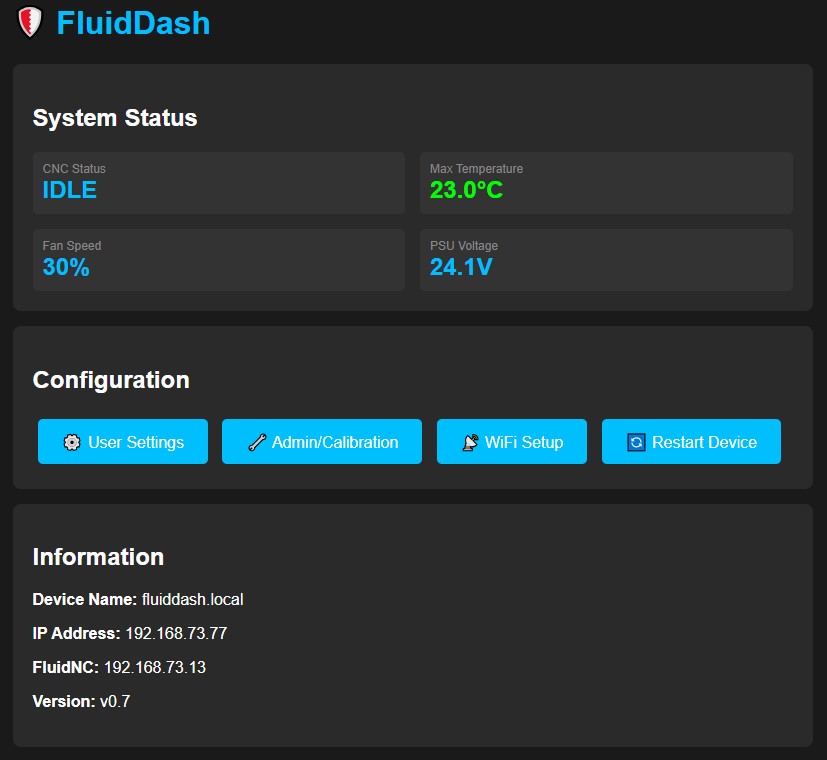
FluidDash is a complementary ESP32 based device for FluidNC that also provides monitoring and data logging for component temperatures, power supply voltage(s), and much more. WiFi enabled with a 340×480 full color TFT display.
Features:
The firmware is esp32 based and utilizes a 340×480 resolution full color display. That resolution is typically found on 3.5″ to 4″ displays. It has been designed to utilize the least amount of I/O pins as possible to facilitate versatility in choice of hardware and expansion.
- ESP32 based.
- Firmware developed in PlatformIO and open source.
- Designed with an emphasis on minimizing GPIO usage to facilitate future expansion and use in different environments.
- Currently being developed on a separate ESP32 dev board and 3.5″ TFT (non touch) display. However, a 340×480 CYD (cheap yellow display) might be a perfect candidate so I will start dev on that soon.
- DS18B20 Digital Temperature Sensors are used. These are one-wire sensors that are connected in serial to a single buss. Each sensor has a built in UID (unique ID). This technique enables connecting many sensors to a single GPIO pin. Note I’m currently using individual thermistors on each of the stepper motor drivers but am working to switch to the DTS soon.
- Single momentary push button for user input.
- Multiple display screens:
- Default with:
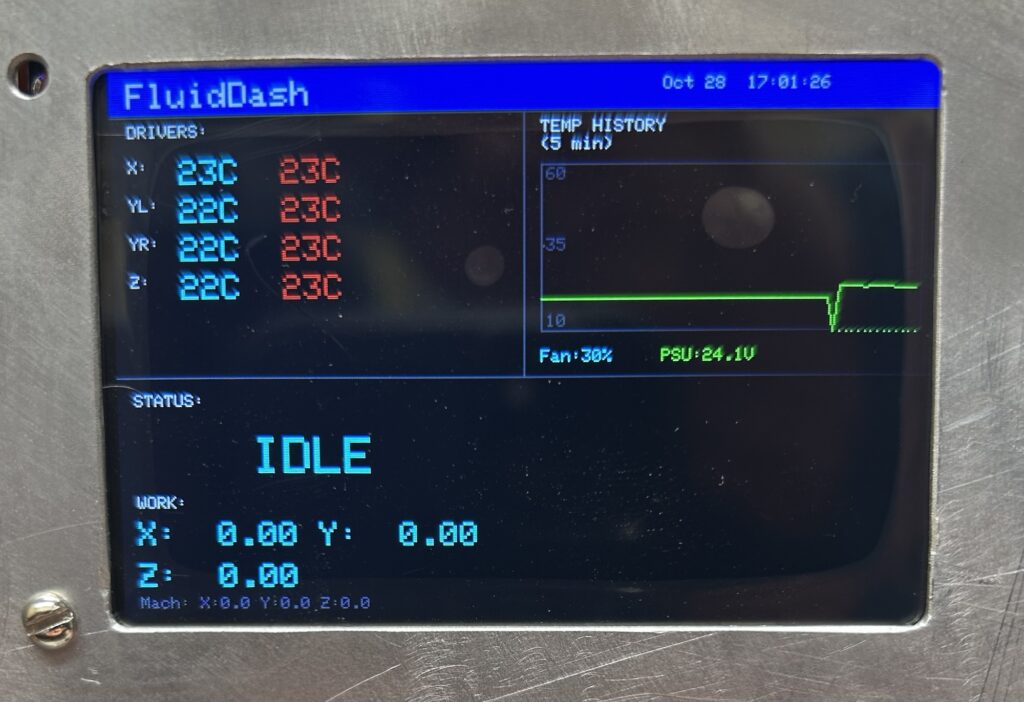
- Real-time temperatures and peak temperature.
- Real-time PSU voltage and peak.
- Graph with temperature over time. Time is configurable.
- FluidNC status and CNC coordinates for both WCS (work coordinate system) and MCS (machine coordinate system).
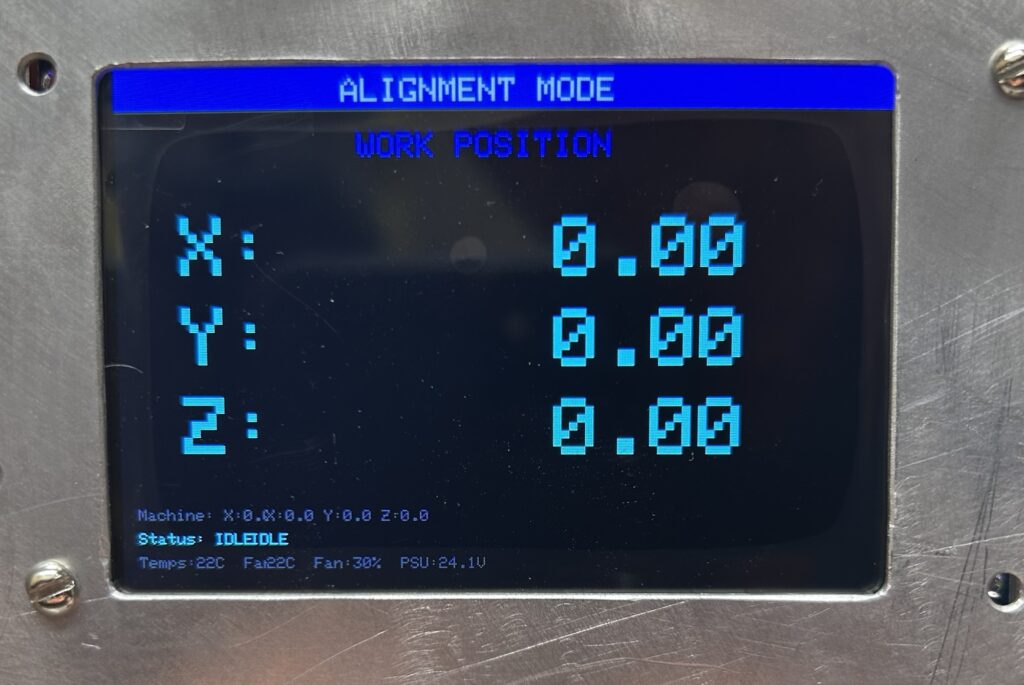
- Position Screen with FluidNC WCS and MCS in large font. Useful when using a pendant to jog the machine or monitoring movement during a probing macro.
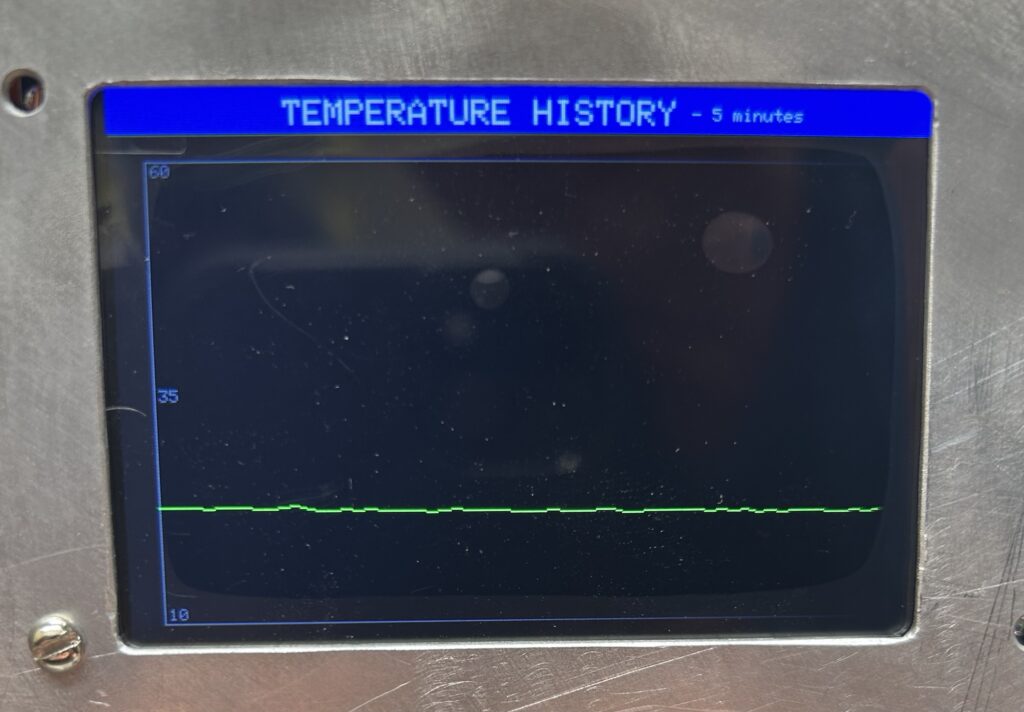
- Temperature graph for a detailed view.
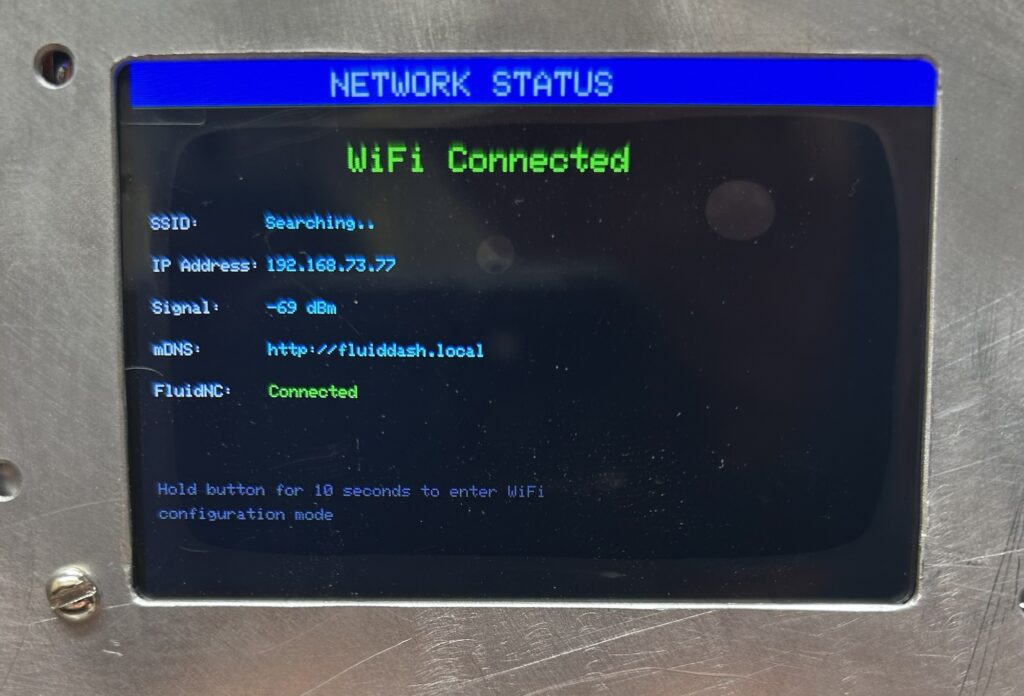
- WiFi and FluidNC connection information.
- Default with:
- Two modes of operation:
- Standalone mode to simply monitor temperatures and control cooling fan and PSU voltage.
- WiFi enabled with WebSockets connection to FluidNC to display certain data. Display only, no control.
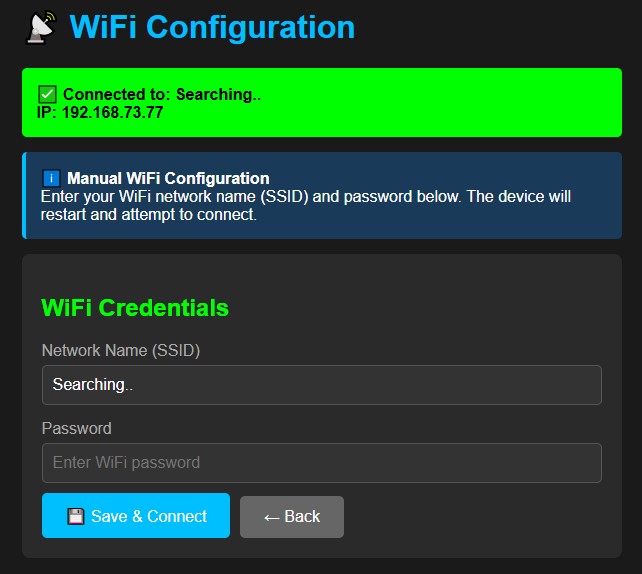
- First time WiFi setup mode for simple user experience. Hold down the push button for > 5 seconds and the ESP32 will enter AP mode and the screen provides instructions to connect your cell phone (or WiFi device) to the AP and access a web page for WiFi setup.
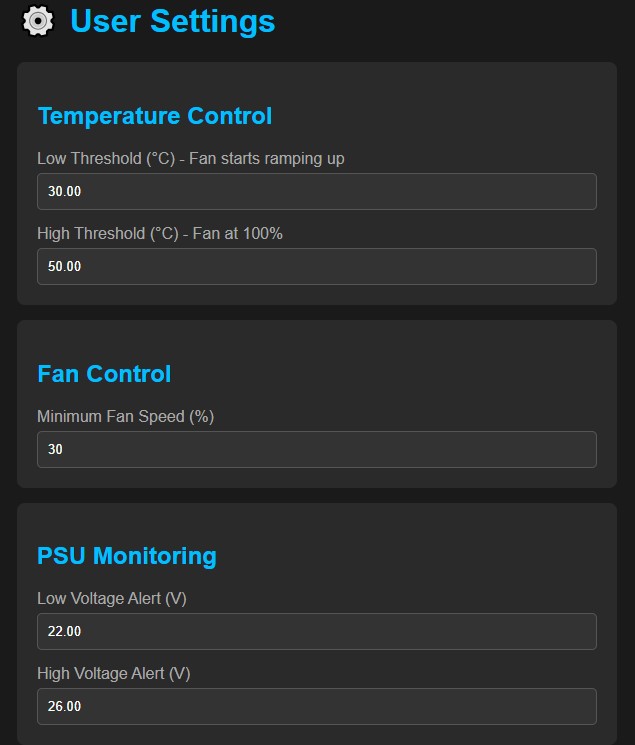
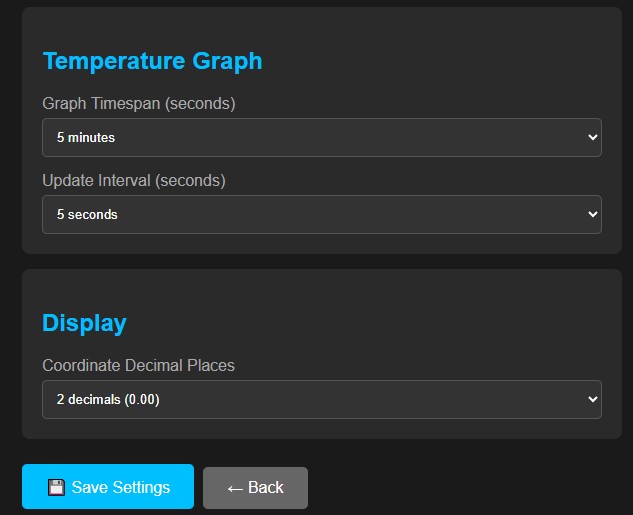
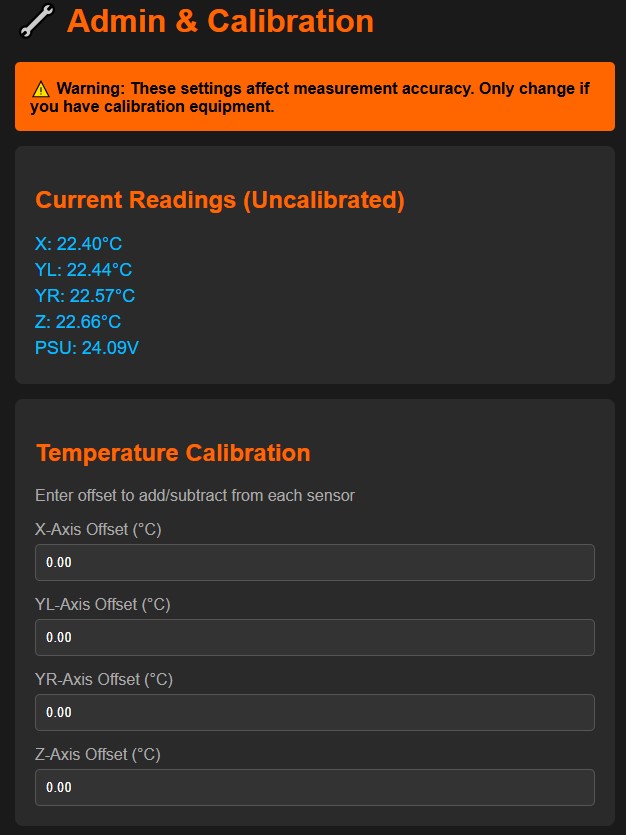
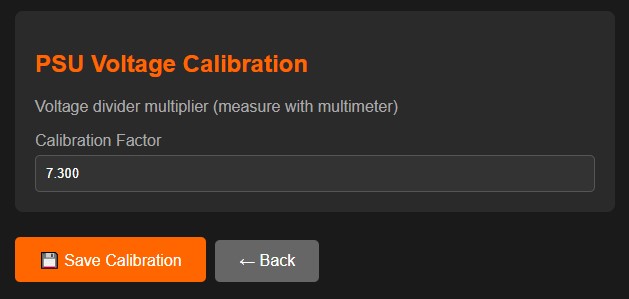
- If using WiFi mode, then a website is available to configure most all settings. There’s a section for user settings and a section for admin settings. The WiFi screen displays the devices status along with IP and mDNS name if WiFi is connected. The user can connect to the device via the IP address or the DNS name, which is fluiddash.local by default but can be configured.
Description:
The features list provides a good idea of what the device is. I developed it for my use case but with a strong emphasis on how it could be used by others. I will start sharing the code once it’s in a stable enough state that I’m not so embarrassed for anyone else to see it :-). I will be switching hardware over to a CYD ASAP. CYD’s have limited GPIO available by default but many of the features, such as the RGB LED, can be omitted and their GPIO repurposed. Switching to 1-wire temperature sensors also minimizes GPIO use. There will be multiple sensor busses for use with sensors internal to the case and a couple for external sensors. External could be for stepper motor and spindle motor temperature monitoring.
The main purpose of the FluidDash is to simply display important data and data logging. It controls the cooling fan in my controller case so it doesn’t just run full blast all the time. I don’t expect to be watching the display all the time so that’s why it has data logging and the ability to view the data over time. I can take a look at the data after a long running job. I don’t expect to have any cooling issues so once I have a couple dozen hours of run time on the new controller I doubt I will be looking at the temperature data again.
However, I think the FluidNC data will be useful even though it’s redundant in my environment. I have a laptop nearby and a FluidDial based pendant with display. Other users may not have that so the information displayed may be more useful to others. What I wanted to see displayed from FluidNC is job status with run time and gcode line number and both WCS and MCS coordinates. If I continue to develop the code, then I will take user input to add and refine features. Otherwise, it will be posted on our GitHub for anyone to use.
Project Scope Creep:
This started out as a simple stepper motor driver temperature monitor to control the speed of the cooling fan on the FluidNC based CNC controller case that I’m building. I added PSU voltage monitoring to the list because…why not. I was originally going to use something like an Arduino Nano but as time went on, I added more and more features to the list so the concept quickly out grew a Nano. I decided to use an ESP32 since I always have so many on hand.
The ESP32 was overkill at this point and there was a lot of unused GPIO and potential waiting to be exploited. While still in the concept development stage I kept thinking about what else I could use it for. I have numerous TFT and OLED displays on hand so I decided I would add a 3.5″ 340×480 full color TFT (no touch) to the mix and mount it on the front of the case. It would look cool and be useful to display real-time motor driver and PSU voltage. I have a CNC pendant and laptop nearby so I wasn’t really interested in displaying CNC controller data at that point.
I started out with individual thermistors on each of the four TB6600 stepper motor drivers. A simple resistor voltage divider for monitoring the 24VDC PSU. All along I had in the back of my mind that it would be cool to monitor stepper motor and spindle motor temperatures but that would be a lot of extra wiring and probably unnecessary. But…I have no idea if the stepper motors will ever run hot and require monitoring. I definitely know the trim router spindle I have been using gets very hot but no clue about the VFD air cooled spindle motor I have upgraded to. I decided not to add external device temperature sensing at this point but to definitely include the ability to add it at a later point.
Since I was not going to have a relatively powerful MCU and display, I thought I should not only display real time data, but a graph with data over time. I thought it might be useful to see the data during and after a long job and to be able to see if there were any issues.
I wasn’t going to use WiFi at all at first but got to thinking about what I read about FluidNC WebSockets functionality. After reading over the FluidNC WiKi again, I thought it would be cool to add some FluidNC data to the display since there was so much room left on it and the ESP32 had WiFi. That’s when the real scope-creep started and the project got out of hand. My intention was always to develop something that I could share with the CNC community and that was configurable and flexible for different use cases. With that in mind, I couldn’t simply hardcode WiFi settings and etc. I had to make it user configurable with a first-time-use feature as well. How would someone else setup this thing brand new?
After working with the first working code, I noticed that I needed to be able to adjust settings without having to hardcode and compile every time. Settings like WiFi of course but also settings such as for when the cooling fan come on and when it increased speed; what the max temperature of any sensor (stepper motor driver) is and when an alarm should be displayed on the screen. I could use a config.yaml file like FluidNC does but I decided to setup a web page on the device for configuration settings and WiFi setup.
Bill of Materials:
I will list all the different devices I have used during development to keep the hardware requirements as flexible as possible.
FluidDash BOM
| Item No. | Item Name | Description | Supplier | Qty. | Cost | Total | Notes |
|---|---|---|---|---|---|---|---|
| 1 | ESP32 Dev Board with terminal block breakout board | 3-pcs. 38pin generic ESP32 dev board with screw terminal block breakout board. | Amazon | 1 | 19.99 | 7.00 | Only need one but I bought 3. Note Amazon lists an ESP-WROOM-32 but it’s not. Just a generic ESP32. |
| 2 | 3.5″ TFT Full Color Display | 320×480 HD Display ST7796 Driver, 5V/3.3V | AliExpress | 1 | 7.54 | 7.54 | |
| 3 | RTC Module | Real time clock with DS3231 & CR2032 battery holder. | AliExpress | 1 | 1.83 | 1.83 | |
| 4 | DS18B20 Digital Temperature Sensor | 10-pack. 3V to 5.5V ; Temperature Range: -55°C to +125°C. | Amazon | 1 | 8.99 | 8.99 | MUCH cheaper on AliExpress but I needed them asap. |
| 5 | 80mm PC fan | PWM 12VDC fan | Amazon | 1 | 6.90 | 6.90 | |
| 6 | 2.8″ CYD Cheap Yellow Display | ESP32 dev board with 2.8inch TFT LCD 240×320 With Resistive Touch | AliExpress | 1 | 11.95 | 0.0 | Probably not going to use this one because screen is too small. |
| 7 | 4.0″ CYD Cheap Yellow Display | ESP32 dev board with 4.0” 320×480 Touch Screen with ST7796S driver | Amazon | 1 | 20.99 | 0.0 | Much cheaper at AliExpress but these are well supported and I found documentation. |
| 8 | 3.5″ CYD Cheap Yellow Display | ESP32 dev board with 3.5” 320×480 Touch Screen with ST7796S driver | Amazon | 1 | 18.99 | 0.0 | Same as the 4″ |
| 9 | Momentary push button | Any push button | On hand | 1 | 1.00 | 1.00 | |
| Total | 33.26 |
Image Gallery
FluidDash Posts:
4040 Pro Max Easy Prox Sensors
Easily add proximity sensors to the front (+) end of each of the Y axes on a SainSmart Genmitsu 4040 Pro Max CNC Router.
FluidDash Begins
What started out as a simple temperature and voltage monitoring device for my new CNC controller case ended up way more complex.